What Professionals Often Overlook When Designing a Practical Home Workspace
What Professionals Often Overlook When Designing a Practical Home Workspace
I’ve reviewed a lot of home workspaces over the past few years. Some belong to consultants billing by the hour, others to founders running lean operations from spare rooms, and many to experienced professionals who assumed they already knew what “good enough” looked like.
What surprises most of them is this: the problems they’re struggling with usually aren’t about space, budget, or motivation. They’re about overlooked details—small design decisions that quietly shape focus, energy, and effectiveness every single day.
A practical home workspace isn’t built around aesthetics or trends. It’s built around how work actually unfolds.
Mistake #1: Designing for Looks Instead of Use
Let’s start with the obvious one. A workspace that photographs well doesn’t necessarily work well.
People often prioritise:
-
Clean lines
-
Minimal clutter
-
“Modern” setups copied from social media
What they don’t always consider is how often they:
-
Shift between tasks
-
Take calls
-
Need to concentrate deeply
-
Switch from solo work to communication
A practical workspace optimises for movement, repetition, and real workflows, not just appearance. If your desk looks great but forces constant adjustments, it will drain you faster than you expect.
Mistake #2: Underestimating Cognitive Load
Cognitive load is a fancy term for a simple idea: how much mental effort your environment demands before you even start working.
Common contributors include:
-
Too many open apps
-
Multiple communication channels competing for attention
-
Devices doing double or triple duty
-
Constant background notifications
Professionals often assume they’ll “just manage it.” In reality, the environment always wins.
A practical workspace reduces decisions you don’t need to make. The fewer choices your brain has to juggle, the more energy you have for actual work.
Mistake #3: Treating All Communication as Equal
This is one of the most overlooked issues in home workspace design.
Not all communication deserves the same level of urgency. Yet many setups funnel everything—work calls, personal calls, messages, alerts—through one device.
That’s exhausting.
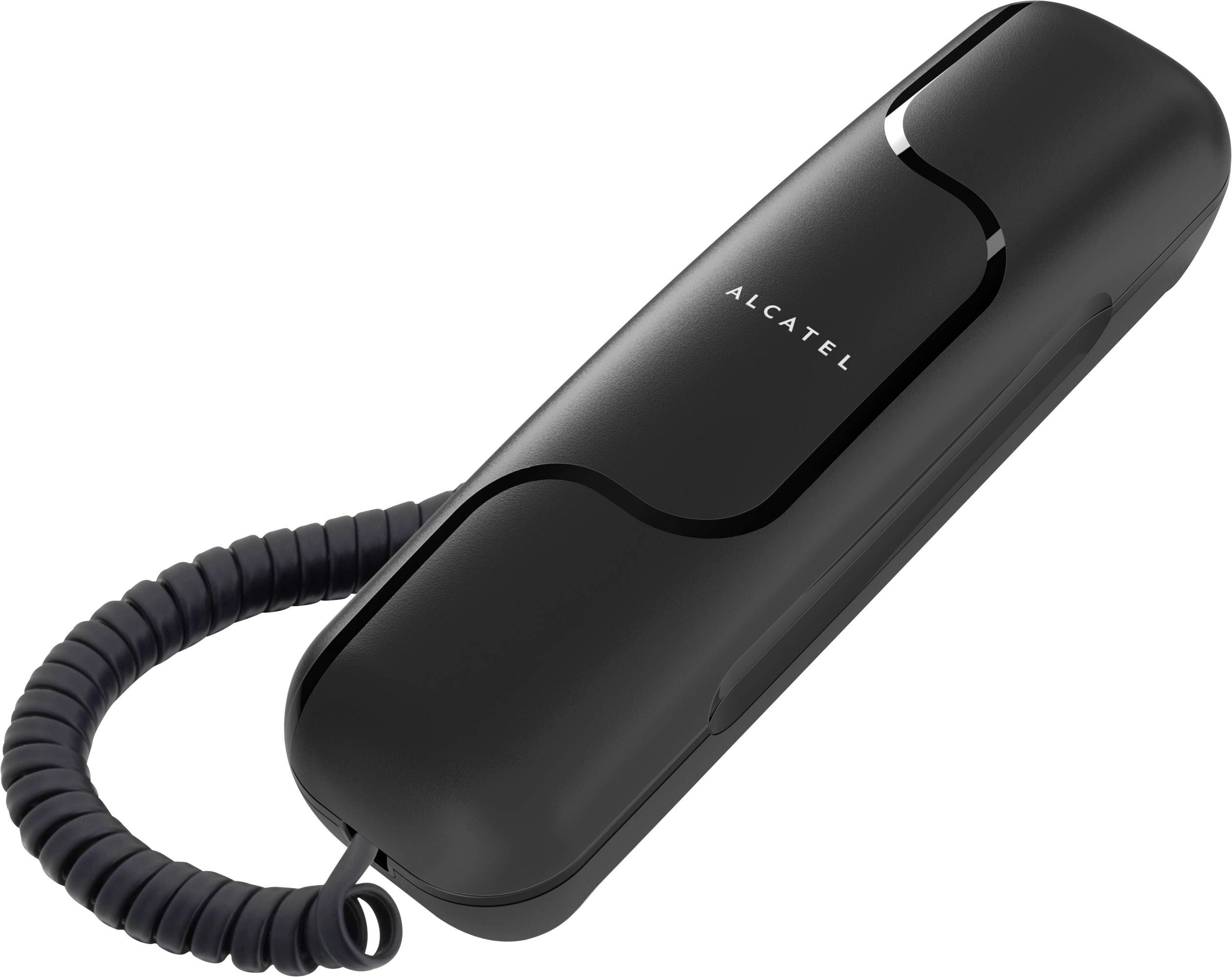
Midway through redesigning workflows, I often suggest separating communication channels more intentionally. That’s where solutions like a corded phone (corded phones) start to make sense again This isn’t about going backwards. It’s about creating hierarchy:
-
Some communication is immediate
-
Some can wait
-
Some shouldn’t interrupt at all
When every alert feels equally urgent, nothing truly gets your best attention.
Mistake #4: Blurring Work and Personal Boundaries
Working from home makes boundaries invisible unless you actively design them.
Professionals often overlook how tools reinforce behaviour. If your phone handles:
-
Client calls
-
Family messages
-
Social notifications
-
App alerts
…then work never really ends. You may step away from your desk, but mentally, you’re still on call.
Practical workspaces create physical and behavioural cues:
-
Work happens at the desk
-
Calls come through a specific channel
-
When you leave the workspace, work stays behind
That separation doesn’t reduce commitment. It increases sustainability.
Mistake #5: Assuming More Technology Equals More Productivity
I’ve yet to see a workspace where adding more tools solved a fundamental problem.
More often, it creates:
-
Redundancy
-
Confusion
-
Fragmented attention
Highly effective professionals usually have fewer tools, each with a clear purpose.
Less Is Often More
| Approach | Outcome |
|---|---|
| Many overlapping tools | Constant context switching |
| Clear role for each tool | Focused work sessions |
| One device for everything | Mental overload |
| Dedicated tools per task | Predictable workflow |
A practical workspace doesn’t impress with complexity. It performs through clarity.
Mistake #6: Ignoring How Interruptions Really Happen
People think interruptions come from noise or people. More often, they come from systems.
-
Calls routed to the wrong device
-
Notifications with no priority
-
Tools that demand immediate responses
Designing a workspace without addressing interruptions is like designing a kitchen without considering workflow.
Practical solutions include:
-
Defining “interruptible” vs. “focus” periods
-
Routing calls intentionally
-
Using fixed points for high-priority communication
The goal isn’t isolation. It’s control.
Mistake #7: Forgetting About Reliability
Reliability doesn’t get much attention because it only becomes visible when it fails.
But professionals working from home rely heavily on:
-
Stable communication
-
Predictable tools
-
Systems that don’t need constant troubleshooting
When something breaks during a client call or a critical conversation, it doesn’t just disrupt work. It erodes confidence—yours and theirs.
Practical workspaces prioritise tools that:
-
Behave consistently
-
Don’t depend on battery life
-
Work the same way every day
Reliability isn’t exciting. It’s calming. And calm is productive.
Mistake #8: Designing for an Ideal Day Instead of a Real One
Many home workspaces are designed around how people want to work, not how they actually do.
They imagine:
-
Long, uninterrupted focus blocks
-
Perfect scheduling
-
Minimal interruptions
Reality includes:
-
Unexpected calls
-
Task switching
-
Time pressure
-
Fatigue
A practical workspace accepts that reality and supports it. It doesn’t demand perfection to function well.
What Experienced Professionals Do Differently
When you look at workspaces that truly support performance, you’ll notice patterns:
-
Clear separation between tools and roles
-
Fewer, more reliable devices
-
Intentional communication design
-
Physical boundaries that support mental ones
They don’t rely on willpower. They rely on systems.
Questions Worth Asking About Your Own Workspace
If something feels “off” about your home setup, these questions usually reveal why:
-
What interrupts me most often?
-
Which tool creates the most friction?
-
Where do I feel mentally drained?
-
What happens when something fails?
The answers rarely point to buying something new. They point to rearranging what you already have.
Final Thoughts: Practical Beats Perfect Every Time
A practical home workspace isn’t about trends, minimalism, or copying someone else’s setup. It’s about understanding how you work—and designing around that reality.
Professionals often overlook communication structure, reliability, and boundaries because they seem obvious. They’re not. They’re foundational.
When those foundations are solid, everything else becomes easier:
-
Focus improves
-
Stress drops
-
Work feels more contained
-
Productivity becomes sustainable
And that’s the real goal—not a workspace that looks impressive, but one that quietly helps you do your best work, day after day.
閱讀更多
Waterproof connectors are essential for making secure and dependable connections in the electrical engineering and outdoor electronics sectors. Fully functional connectors are essential when it comes to marine applications, industrial equipment, and outdoor lighting, as these connectors are crucial for the protection and functionality of the systems. Waterproof connectors assure effectiveness...

Buy Verified Binance Accounts Binance stands out as a platform that offers universal trading options and advanced potential features for cryptocurrency enthusiasts. Its wide range of liquid cryptocurrencies and advanced trading capabilities gives user a preferred choice for individuals looking to maximize their opportunities in the digital asset market. Binance offers low trading fees...

Buy LinkedIn AccountsLinkedIn is a professional branding social platform which also creates a space for a remote worker. LinkedIn’s features, like endorsements and recommendations, add credibility to profiles. Networking on LinkedIn can lead to job offers, partnerships, and professional growth. By leveraging LinkedIn, professionals can expand their network beyond geographical boundaries...