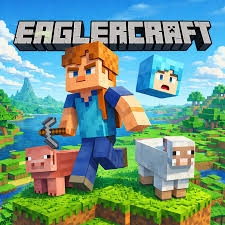

Ever found yourself with a bit of downtime, wishing you could quickly jump into a sandbox block-building world without downloading heavy software or logging into a dedicated gaming rig? That is exactly where Eaglercraft comes in. It is a clever, web-based adaptation of the classic Minecraft experience that lets you mine, craft, and build right from your standard internet browser. If you are looking for a casual way to pass the time, let’s dive into how you can easily experience this nostalgic gem.
How the Gameplay Works
Starting a game is remarkably simple. You don't need a high-end gaming PC or administrative privileges to install anything. Just open your favorite web browser, navigate to the site, and you are greeted with that warmly familiar, pixelated main menu.
From here, you can choose to generate a single-player world or join active multiplayer servers. The controls are exactly what veteran players will remember: use the WASD keys to move around, the Spacebar to jump, left-click to break blocks, and right-click to place items or interact with the environment. The inventory system, crafting recipes, and the ever-present day-night cycle closely mirror traditional survival and creative modes.
In Survival mode, you will start by punching trees for wood, crafting your first wooden pickaxe, and securing a safe shelter before the nighttime mobs arrive. In Creative mode, you have an infinite palette of blocks to construct anything from a modest farmhouse to a massive, sprawling castle. The mechanics are faithful, intuitive, and surprisingly responsive for a browser game.
Helpful Tips for a Better Experience
If you are new to playing browser-based games, here are a few handy tips to make your adventure much smoother:
- Backup Your Worlds: Because the game relies on your browser’s local storage, your save files can disappear if you clear your browser history or cache. Always use the in-game option to export and download your single-player world files directly to your computer.
- Tweak Video Settings: If you are playing on an older laptop or a standard office computer, you might experience some lag. Head into the video settings and lower the "Render Distance." Turning off "Fancy Graphics" and "Smooth Lighting" will also significantly boost your frame rate.
- Utilize Fullscreen: Pressing F11 (or using the game’s fullscreen toggle) hides your browser tabs and taskbar, offering a much more immersive experience that makes you forget you are playing in a web browser.
- Explore Multiplayer: The community around this game is quite active. Joining a multiplayer server can elevate your experience from a solitary survival run to a fun, collaborative building session.
Conclusion
Finding a quick, accessible way to scratch that creative block-building itch can be a wonderful way to relax during your downtime. Eaglercraft offers a remarkably authentic sandbox experience that runs beautifully right in a browser tab, making it perfect for both quick ten-minute breaks or long, creative afternoons.
Whether you want to survive the elements or build a masterpiece, it is definitely worth checking out. Have you tried playing it yet? Feel free to share your favorite builds, survival stories, or server recommendations in the comments below. Happy mining!