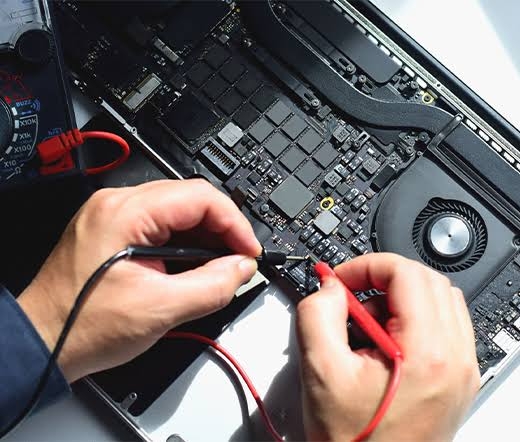

When your laptop develops a hardware or software issue, you may hesitate to ship it to a repair center. Many people wonder whether a mail-in repair service is safe, how their device will be handled, and what steps are taken to protect valuable data. These are valid concerns, especially when laptops often contain important personal files, business documents, and sensitive information.
The good news is that reputable repair providers follow professional procedures to protect your device from the moment it arrives until it is safely returned. Understanding how the process works can give you confidence when choosing a repair service.
Why Customers Trust a Mail-in Laptop Repair Service
A professional repair center is designed to receive, diagnose, repair, and safely return laptops from customers across the country. Instead of relying on limited local repair options, you gain access to experienced technicians who specialize in repairing laptops from major manufacturers.
Choosing a reliable mail-in laptop repair service ensures your laptop is handled by skilled professionals who use secure repair procedures, quality replacement parts, and careful packaging throughout the repair process.
How Your Laptop Is Protected During Shipping
Shipping is often the first concern customers have. Fortunately, proper packaging significantly reduces the risk of transit damage.
Before shipping your laptop:
- Back up important files.
- Remove unnecessary accessories.
- Wrap the laptop with bubble wrap.
- Use a sturdy cardboard box.
- Fill empty space with protective padding.
- Seal the package securely.
Using a carrier that provides tracking and optional insurance adds another layer of protection.
Secure Receiving Process
When your laptop arrives at the repair facility, technicians typically follow a structured intake process.
This often includes:
- Inspecting the package
- Recording the device information
- Logging the repair request
- Documenting the laptop's condition
- Beginning diagnostic testing
This organized process helps ensure every device is tracked throughout the repair.
Professional Diagnostics
Accurate diagnostics are one of the biggest advantages of professional repair centers.
Rather than replacing parts based on assumptions, technicians use specialized equipment to identify the exact cause of problems such as:
- No power
- Charging failures
- Overheating
- Blue screen errors
- Display problems
- Keyboard malfunctions
- Motherboard failures
Accurate diagnostics save customers both time and money.
Experienced Technicians Handle Your Device
Professional repair centers often employ technicians with experience repairing laptops from manufacturers including:
- Dell
- HP
- Lenovo
- ASUS
- Acer
- Apple MacBook
- Samsung
- MSI
- Microsoft Surface
Their experience allows them to repair both common and complex hardware issues using professional tools and repair techniques.
Protection of Your Personal Data
Many customers worry about the information stored on their laptops.
Before shipping your device, it's recommended to:
- Back up important files.
- Sign out of personal accounts if possible.
- Remove sensitive information if accessible.
- Disable passwords only if requested for testing.
Professional repair providers generally access only the areas of the system necessary to diagnose and verify repairs.
Quality Replacement Parts
A trustworthy repair company uses compatible replacement components designed for your laptop model.
Common replacement parts include:
- LCD screens
- Batteries
- Keyboards
- Cooling fans
- SSDs
- Charging ports
- Motherboard components
Using quality parts improves reliability after the repair is completed.
Comprehensive Testing Before Return
Before your laptop is shipped back, technicians perform extensive testing.
Testing typically includes:
- Startup verification
- Display functionality
- Keyboard testing
- Battery charging
- USB ports
- Wi-Fi connectivity
- Audio system
- Cooling performance
This helps ensure the repair has been completed successfully.
Benefits of a Mail-in Laptop Repair Service
Mail-in repair services offer several advantages over many local repair options.
Nationwide Access
You can receive expert repairs regardless of where you live.
Experienced Specialists
Dedicated repair centers work on hundreds of laptops every month, allowing technicians to develop extensive experience.
Transparent Communication
Professional providers keep customers informed through diagnostic reports, repair estimates, and shipping updates.
Convenient Process
Everything can be handled remotely without visiting a repair shop.
If you're looking for reliable diagnostics, experienced technicians, and secure repair procedures, a trusted mail-in laptop repair service provides a convenient and dependable solution.
How to Choose a Safe Repair Provider
Before shipping your laptop, look for a company that offers:
- Positive customer reviews
- Experienced technicians
- Transparent pricing
- Warranty coverage
- Secure shipping recommendations
- Responsive customer support
- Detailed repair estimates
These qualities indicate a professional repair provider committed to customer satisfaction.
Tips for Shipping Your Laptop Safely
To further protect your device:
- Back up important data.
- Remove accessories.
- Use high-quality packaging materials.
- Purchase shipping insurance if desired.
- Save your tracking number.
- Include a detailed description of the problem.
These simple steps help ensure a smooth repair experience.
Final Thoughts
A professional mail-in laptop repair service is a safe and convenient option for repairing laptops with hardware or software issues. Reputable providers use structured repair procedures, experienced technicians, secure handling practices, and comprehensive testing to ensure your device is repaired correctly and returned safely.